A reader requested a custom function for getting the id of the current spreadsheet. This would be useful in conjunction with the importrange() function discussed in a previous post: "Pulling Spreadsheet Data: No Scripts Required."
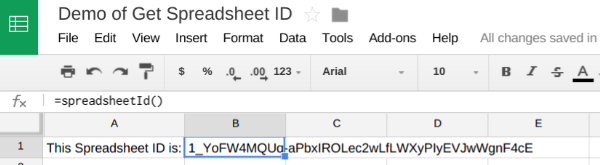
In the example below we see cell A1 reads "This Spreadsheet Id is" and cell B1 includes the custom function "=spreadsheetId()" which outputs the id of the current spreadsheet.
Set Up:
- Open a Google Spreadsheet
- Click "Tools" and then "Script Editor"
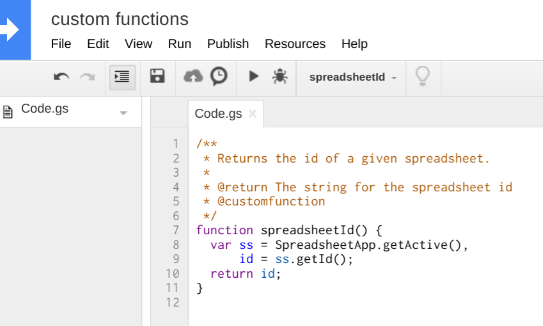
- Give the new script project a name by clicking "Untitled Project" at the top right, just like one does when renaming a Google document. In this example, I've used the name "custom functions."
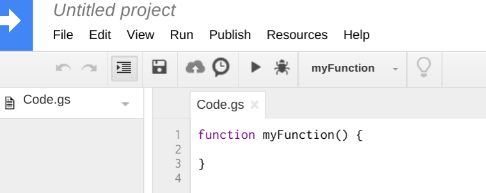
- Replace the Code.gs text with:
/**
 * Returns the id of a given spreadsheet.
 *
 * @return The string for the spreadsheet id
 * @customfunction
 */
function spreadsheetId() {
  var ss = SpreadsheetApp.getActive(),
      id = ss.getId();
  return id;
}
- Click save or ctrl+s
- Back in the spreadsheet from which the Script Editor was launched, type =spreadsheetId() into any cell.
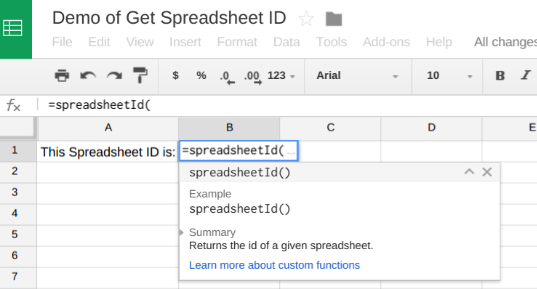
The custom function spreadsheetId() will return the current spreadsheet's ID.
Keep those questions coming!